From lightweight devices such as Pixel C, up to devices with hardware worth a powerful PC, as the Surface Pro 4, concepts something more cheats like the iPad Pro, the question that often haunt us when we deal with a device that incorporates its own native keyboard is…can replace a laptop? We have taken one of our favorite tablets, Samsung Galaxy TabPro S, and we are doing the test.
Our segment is changing little by little, and now we are in a clear turning point in which the convertible sales improve a lot, but they are still far from reaching type slatetablets. Yet we have seen that large firms are starting to turn without a very clear direction, but always knowing that productivity is a fundamental asset to compete in the coming years and that who get better unify the experience PC and tablet, will have much cattle.
Check out our in-depth analysis of the Galaxy TabPro S
Galaxy TabPro S: the hybrid from the tablet
The way of tackling the problem by Samsung has been building a lightweight tablet with magnificent display, while avoiding dramatic that we see on computers as the Surface Pro 4, you need to adapt your design to keep internal components cool. TabPro S, by contrast, is a thin and agile, that does not lose the essence of the tablets slate, but that also has a keyboard to generate content.
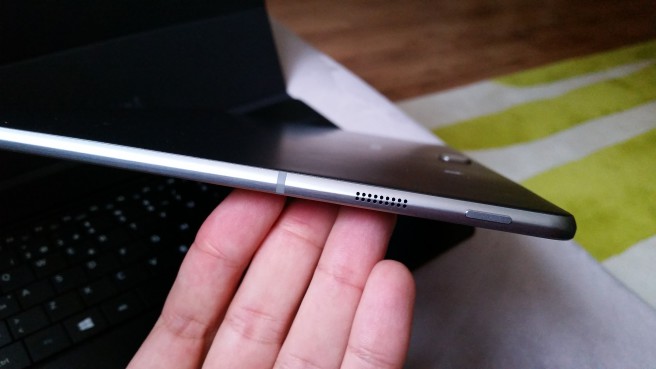
In the analysis we perform device already discussed it. It’s a frankly spectacular performer in the section multimedia. Its Super AMOLED screen and a few well-placed speakers have allowed me to enjoy the most of Netflix, although the fact of starting work with this TabPro Galaxy S has required a certain process of recycling for my part.
First: deal with connectivity
When we tested the device we gave by fact that the Samsung adapter multiport was going to save the impediment posed the only port of the tablet (as well as the keyboard dock and headphone jack) is a USB type C. However, to start using the TabPro Galaxy S, the first need I had was the plug in a mouse, so I went to a physical store of Samsung and asked for the accessory, but they failed to tell me nothing beyond that did not “for now”. On the official website of the company nor you can purchase.
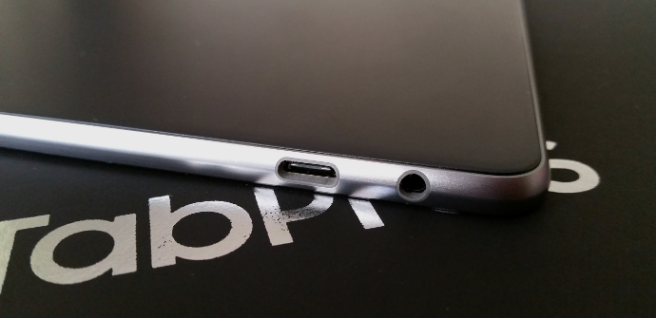
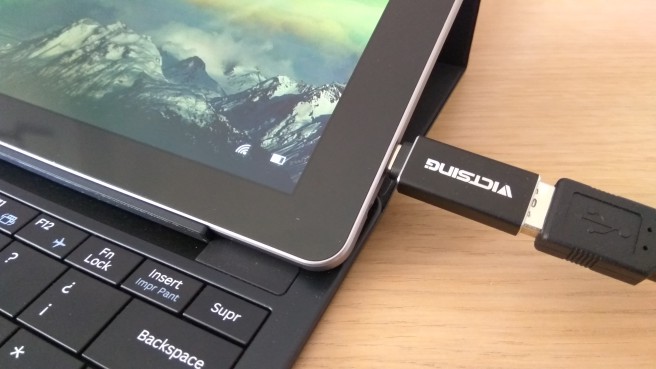
That said, I had not choice but to search online adapters manufactured by third parties and soon I came across one that cost 5 euros and was able to become a standard size USBport USB type C. Certainly this has the problem that I I can not work with the mouse while I charge the Galaxy TabPro S, but before making one major investment, I prefer to wait a bit to see if Samsung is selling your own adapter.
Another important factor, in my experience, is that the tablet has no EthernetJack. It can seems easy to overcome since the wireless connection tends to prevail, but the WiFi in my area, in general, and that of my house, in particular, is very slow and offers little scope. If I work in my room with the device I am losing many network speed, while the Galaxy S TabPro better captures the signal to my laptop. It is another factor to take into account.
Parts of the experience that enhance
I must also admit that perhaps the kickstand of the Surface Pro 4 is a more advanced system which offers the TabPro Galaxy S and that serves so that we can take practically any body posture. The interesting thing about the Samsung bet, on the other hand, is that you as a tablet, this device is much more powerful. Is true that is not easy to jump on the couch and write with the physical keyboard, but dismantling the equipment and use only the screen is something tremendously advantageous.
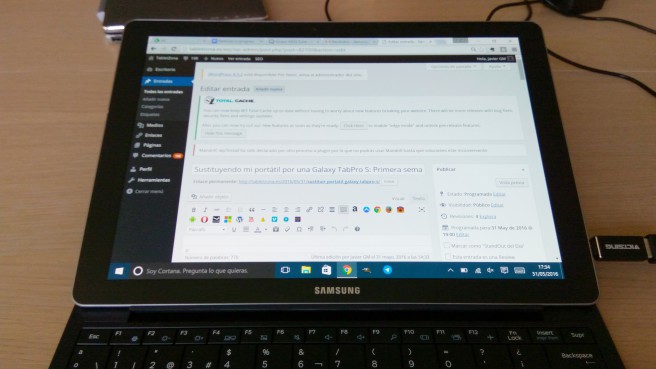
Obviously, the best part is the Super AMOLEDscreen. The difference with my laptop (not quality) is abysmal. I thought that that element would only note on playback of videos and multimedia content, however, working with text and see it in a clear way and defined is a very good thing. Much less tired the view and does not require such laborious approach. Important thing is that I’ve lost anything of autonomy in the change. The Galaxy TabPro S chipset is perfectly calibrated and your processor Intel Core m3 operates luxury, without heating equipment and carried out a very successful energy management.
The article by replacing my laptop by a Galaxy TabPro S: first week was published in TabletZona.