One of the new features of Android and that it has been highly expected by users, has been the multi-window mode. In an attempt to bring more to a professional audience and try to remove more importance to other more focused software to this collective, the Mountain View have incorporated a number of new features that we are seeing sharper way with the previews that they come out gradually before the final release of this platform to the public at the end of this year. However, this feature can also be useful to other users of the Green robot software and they really are those which involve the bulk of consumers of this interface.
A few days ago it was learned the multi-window mode, which we already knew aspects as that it would enlarge or decrease the size of the open screens also, place them anywhere on the desktop, also would be composed of three different, each one of them, addressed to a specific management of the operating system and that, in some cases, are aimed at the interconnection between different media. Then we told you most of all and we say in what situations can take more advantage to some and to others.
1 division two
It is the first element of these characteristics that was presented during the first beta for Android N. It’s the most simple and is based on the split screen. Note that this function was very expected by users of the interface. With this feature, we can execute on the screen two apps or tasks at the same time. Automatically, each of them will occupy a half. However, can change the size of both, and prioritizing one over the other or also, reduce the size of the two. Its activation will be very simple, since you can simply press a few seconds in the tool you want to use while we are working with other.
2 Picture in Picture
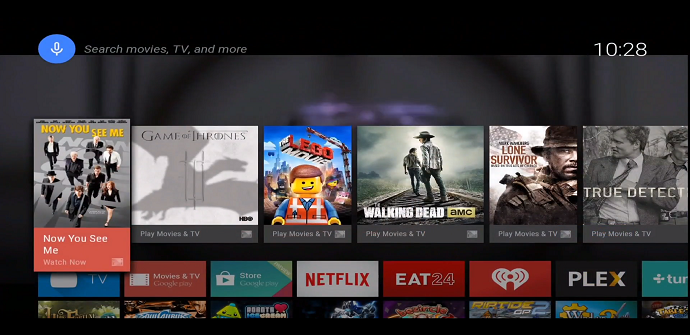
A few days ago I had more about some of the new features you’ll see in Android N. One of them was PiP, directed to the synchronization of our tablets and smartphones with Android TV, the platform created for televisions. The operation of Picture in Picture is very similar to the split-screen. While the contents that we are seeing on the TV are playing in a part of the panel, we find another screen in which we can perform other tasks such as using social networks and configure wireless networks. Once we started working with this last screen, which contains the video goes into the background.
3. free mode
While there are no images on this latest addition to the multi-window mode. However, we already know some aspects of it such as for example, which will resemble the previous two in the sense that we can use simultaneously several applications, but with the news that we can change the order of them, place in the panel, its size and also, the amount of items that you can open.
A late innovation?
The multi-window mode is something that we are already seeing from some time on other platforms such as Windows. On the other hand, some manufacturers such as Samsung are incorporating these features into your own interfaces or also, in their latest devices. However, should remember that most of the operating systems developed by large companies have a base of Android. However, all of them have gone a step ahead of the Mountain View in this regard. On the other hand, one of the reasons why it has come late to other platforms is by the fact that in early testing, this feature increases the instability of the operating system and therefore, it had to be fixed.
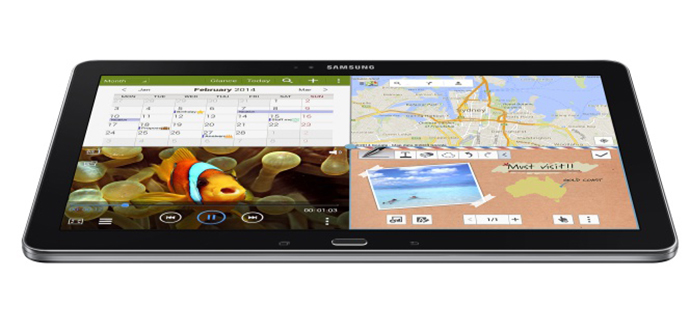
As you have seen, which incorporates Android N and news that we can enjoy in a few months, they are still hiding some secrets that every day, come out to the light. The possibility of working with various tools at the same time we enjoyed our series or favorite music, is a plus not just for Google, but also, for manufacturers when it comes to launching new devices with those who get to differentiate itself from other companies. However, as with other features, the multi-window mode should be linked improvements in autonomy and speed of execution of tasks by processors and other elements to make this progress, not more shadows that lights. After learn more about different kinds of split screens that will be the new Member of the family of the Green robot, do you think that you it’s a novelty that should have come before and that can be very useful for the more than 1,300 millions of Android users, or however, believe that it is necessary to manufacture more powerful terminals in order to make the most possible this function? You have available more information as for example, another list of additional features that we see in N so that you can say to yourselves.
The article knows more about the 3-mode Android N multi-view was published in TabletZona.